

WAV to MP4 Converter
Turn lossless WAV audio into a shareable video with our included background, or add your own image. Built for producers, musicians, and podcasters.
Step 1: Choose your WAV
Drag & drop your audio here, or click to browse
WAV • up to 100MBStep 2: Add an image (optional)
Add an image, or use this background
Optional • drop JPG / PNG / WEBP / GIF / BMP to replace itChoose your path
Keep using the free no-signup converter, or turn the same track into an animated AI music video.
Quick static video
AI music video
Why Producers Convert WAV to MP4
WAV is the format your music lives in while you make it — DAW bounces, studio masters, field recordings. But YouTube, Instagram, and TikTok want video. This free converter turns any WAV file into an MP4 with our included background or your artwork, without touching your audio quality until the final platform-ready encode.
How to Convert WAV to MP4
Upload Your WAV File
Select any WAV file up to 100MB — that's roughly 10 minutes of 16-bit stereo audio. Perfect for masters, demos, and podcast episodes.
Choose a Visual (Optional)
Use the included background, or add album art, a logo, or any JPG, PNG, GIF, WebP, or BMP image.
Download Your Video
Get a high-quality MP4 with clean AAC audio, ready for any platform. No watermarks, no signup.
Built for People Who Work in WAV
Straight from Your DAW
Bounce from Ableton, Logic, FL Studio, or Pro Tools and upload the WAV directly — no intermediate MP3 conversion step that costs you quality.
Platform-Ready Output
Export MP4s optimized for YouTube, Instagram, TikTok, and Twitter. Landscape images become 1080p widescreen video; portrait images become vertical video.
Privacy First
Your files are processed securely and deleted immediately after conversion. We never store or share your content.
From the Makers of Neural Frames
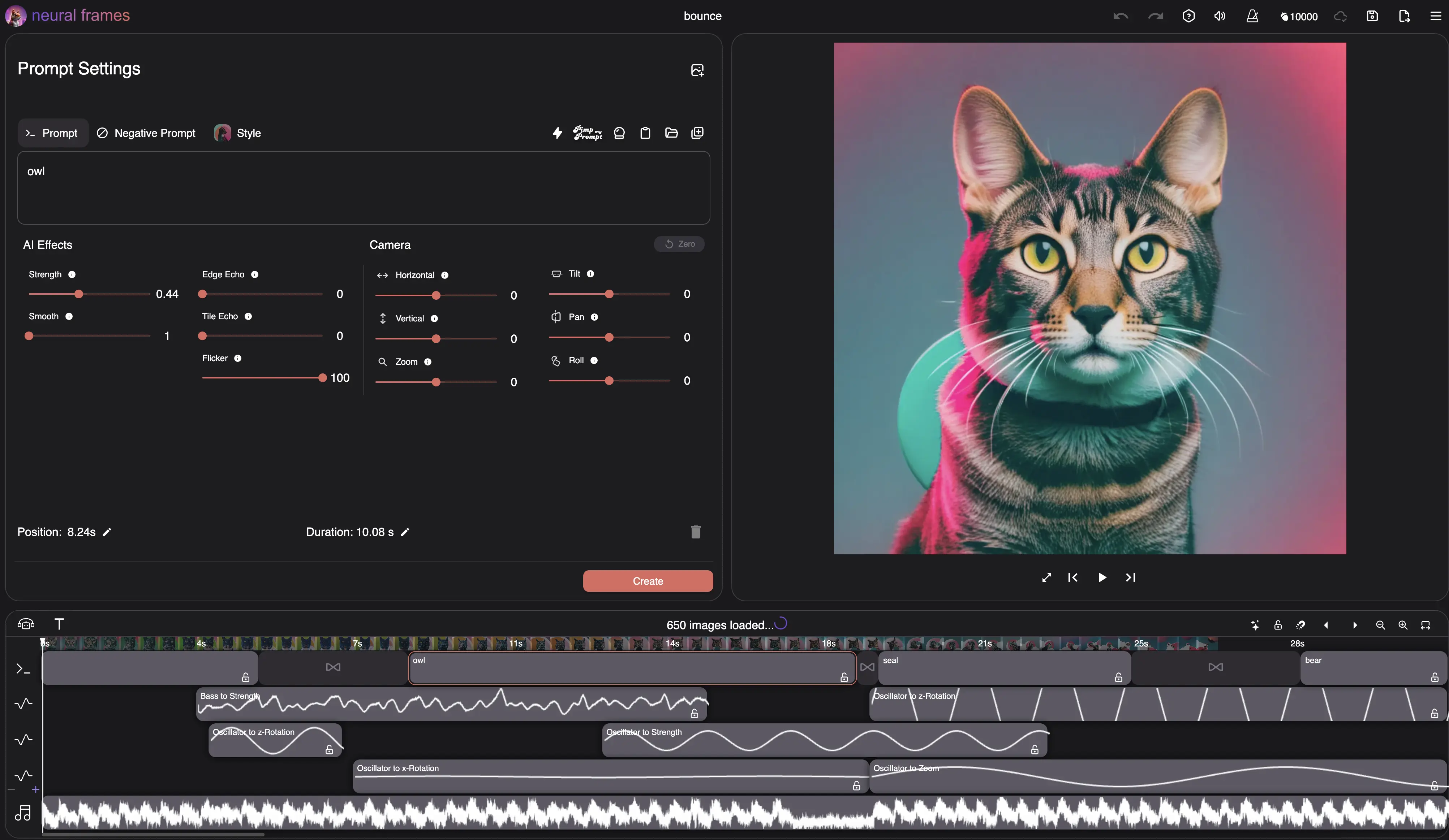
This free tool comes from the team behind neural frames, the AI music video platform trusted by 10,000+ artists worldwide.
Ready for Real Music Videos?
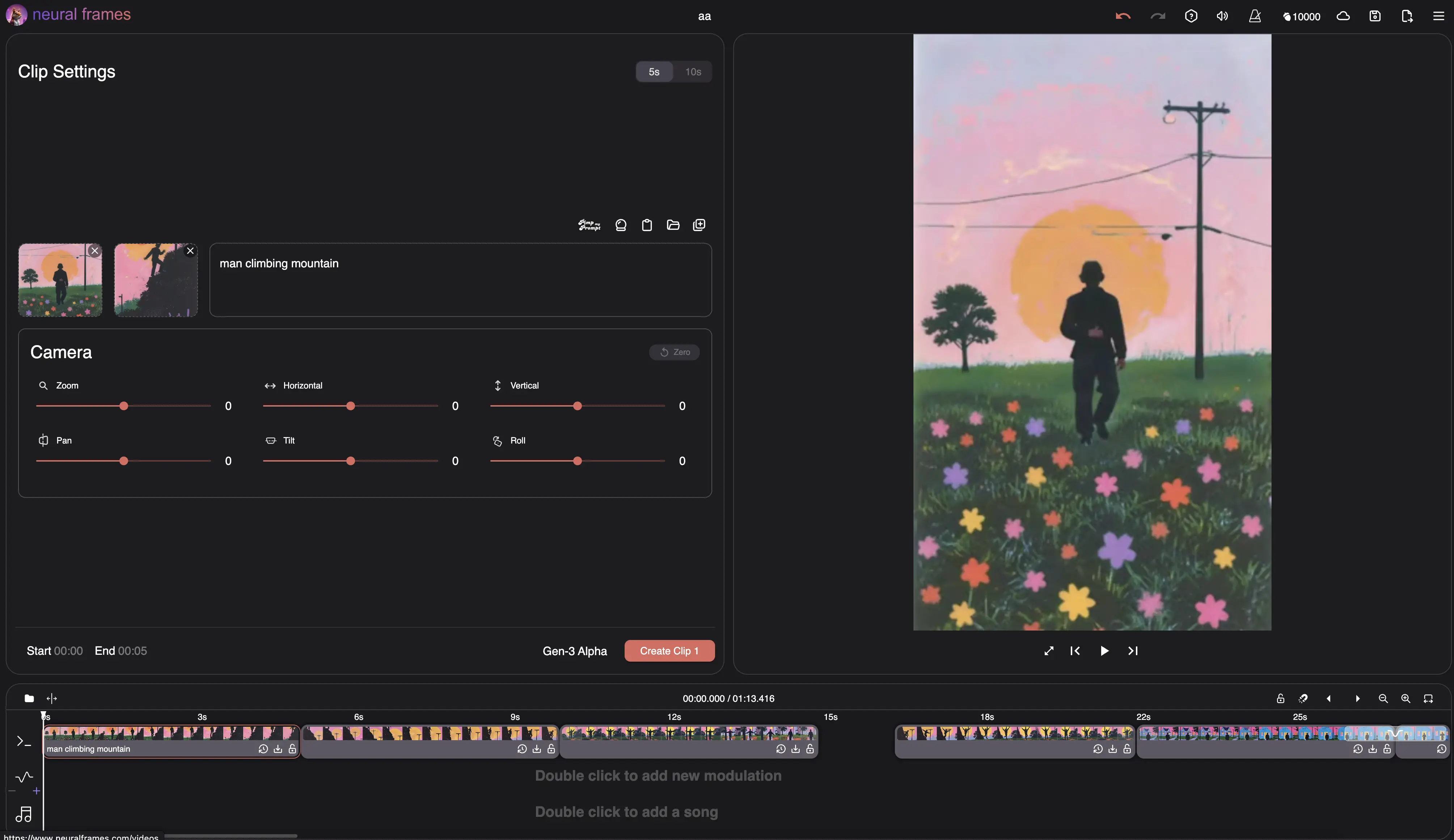
This converter is great for static videos, but if you want animated, audio-reactive music videos that truly bring your music to life, explore neural frames.
Frequently Asked Questions
Is this WAV to MP4 converter really free?
Yes, completely free with no hidden costs. No signup, no credit card, no watermarks. We built this tool to help musicians and creators, powered by neural frames.
Does converting WAV to MP4 lose audio quality?
The MP4 container uses AAC audio at 128 kbps, the same codec YouTube and social platforms re-encode to anyway. Starting from a lossless WAV gives you the cleanest possible result — better than converting from an already-compressed MP3.
What's the maximum file size and length?
You can upload WAV files up to 100MB and 10 minutes long. A 16-bit stereo WAV at 44.1kHz runs about 10MB per minute, so most tracks fit comfortably.
Which platforms can I use these videos on?
The MP4 output works on all major platforms: YouTube, Instagram, TikTok, Twitter, Facebook, Vimeo, and more.
Can I convert MP3 or M4A files too?
Yes — use our free MP3 to MP4 converter or M4A to MP4 converter. They work exactly like this tool: upload audio, use the included background or add an image, then download your video.
Is my content safe and private?
Absolutely. Files are processed securely and automatically deleted after conversion. We don't store, share, or use your content in any way.
Choose your next music workflow
AI Lyric Video Maker
Explore videos with lyrics generated into the scenes. Account required.
Audio & Music Visualizer
Create beat-synced audio visualizations for your music with AI.
AI Music Video Generator
Create full AI music videos that react to your sound.
Suno to Music Video
See how to turn your exported Suno song into a full music video.
More Than Just WAV to MP4 Conversion
While this free converter handles basic video creation, musicians increasingly need more engaging content to stand out. That's why we built neural frames — to help artists create stunning AI-powered music videos that capture attention and grow audiences. Start with this free tool, and when you're ready for animated, audio-reactive videos, we're here to help.